Virtual Cards In Kenya: What They Are And How To Use Them For Online Payments And Subscriptions

As of 2025,mobile banking has surged in popularity even surpassing traditional banking in Kenya.In essence it has become the go-to method for Kenyans to manage their finances,so much that it now feels instinctive and embedded in everyday life.
With M-PESA, NCBA Loop and other digital wallet based services dominating our daily transactions,from paying bills to buying airtime,the shift to digital finance is no longer a trend,it's a lifestyle.And when it comes to online payments and shopping,one tool often stands out:The Virtual Card
But what exactly is a Virtual Card? How does it work? How can you get one and use it safely for online payments? This guide breaks it all down.
What Is A Virtual Card?
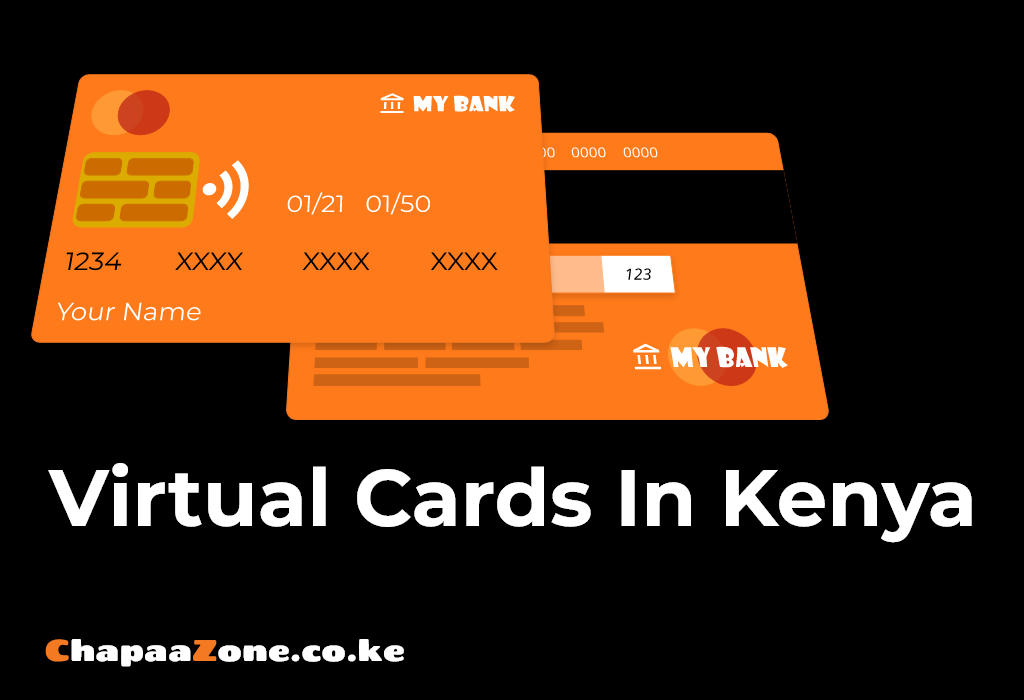
A virtual card is simply a digital version of a credit or debit card.Just like their physical counterparts,virtual cards have card number,expiry date,and CVV.The notable difference here is,Virtual Cards only exists online.You don't carry it in your wallet,rather you access them through the app or website.
Key Features
There are a few notable features that Virtual Cards have,they're:
- No Physical Plastic - A virtual card is non non tangible,it's 100% digital
- Secure for online use - virtual cards often come with spending limits or one time use options
- Linked to your mobile wallet or bank account - virtual cards are linked to your digital wallets like M-PESA,NCBA Loop or Equity
- Works on global platforms - Amazon,AliExpress,Google Play,Spotify,etc. most of this digital platforms accept virtual cards as form of payment
How Virtual Cards Work
Whenever you request a Virtual Card,your provider (bank or mobile wallet) generates a unique card number.Alongside this you'll also receive a CVV (Card Verification Value) and an expiry date,all the details that are usually found in a physical card.These details are essential for verifying and completing online transactions on various platforms.
In Kenya,most virtual cards are provisioned under either Visa or Mastercard,depending on your provider.For example M-PESA GlobalPay,NCBA Loop,and Equity Bank issues Visa virtual cards,while apps like Chippa Cash and Eversend may offer Mastercard or multi-currency Visa Options.This matters because some platforms may have preference of one over the other,so it is up to you to always check your card type before transacting.
Behind The Scenes
When carrying out transactions using a virtual card,this is usually what occurs:
- The card pulls funds from your linked wallet or account.
- Some cards are prepaid - meaning you load money onto them manually.
- Others cards are linked - meaning it pulls money directly from your account.
- You can often freeze,delete or regenerate card details for extra security.
Popular Virtual Card Providers In Kenya
Here is a quick breakdown of most popular providers of Virtual Cards in Kenya:
| Provider | Type | Linked To |
|---|---|---|
| M-PESA GlobalPay | Prepaid | M-PESA Wallet |
| NCBA LOOP | Debit | Loop Account |
| Equity Virtual Card | Debit | Equity Account |
| Chipper Cash | Prepaid | Chipper Wallet |
| Eversend | Multi-currency | Wallet |
Always check if the card is Visa or Mastercard - most platforms accepts both,but some might prefer one over the other
How To Request A Virtual Card(Step-By-Step)
Let's walk through the process of acquiring and using a virtual card using M-PESA GlobalPay as an example:
Step 1 - Activate GlobalPay
- Dial *334# or open the M-PESA app.
- Navigate to GlobalPay under Financial Service
- Accept terms and conditions
Step 2 - Generate Your Card
- Choose "Create Virtual Card"
- You'll receive a 16-digit Visa Card number,expiry date and CVV.
Step 3 - Load Funds
- Ensure that you have money in your M-PESA wallet
- You can set spending limits or freeze card anytime
Step 4 - Use It Online
- Enter Card details at a checkout(example buying TikTok coins)
- Confirm via OTP or M-PESA PIN
Done! - you've just paid with no physical card.
The steps above apply for M-PESA GlobalPay,this steps may be changed or updated anytime so always check for M-PESA GlobalPay updates/changes on Safaricom or M-PESA websites online.For the other vendors also check with their respective websites.
Where You Can Use Virtual Cards
Virtual Cards unlock a lot of possibilities and they're accepted almost anywhere physical cards are accepted,especially on online platforms.Here are some common use cases for Virtual Cards:
Education
- Coursera,Udemy,Skillshare
- Online exams fee or certifications
Entertainment
- Netflix, Spotify, YouTube premium
- In-app purchases and gaming credits
E-Commerce
- Amazon,AliExpress,Jumia,Kilimall
- Fashion,Tech,Books and More
App Stores
- Google Play, Apple App Store
- Buying Apps,Subscriptions or Cloud Storage
Safety Tips For Using Virtual Cards
Online payments are convenient but they often carry risks.Here is how to stay safe:
1. Use Trusted Platforms
Only enter your card details on reputable,secure and verified websites using HTTPS.
2. Set Spending Limits
Most Virtual Cards have an option to cap how much money can be spent - make extensive use of this feature to mitigate the damage that can be caused by fraudulent or unauthorized transactions.
3. Freeze Or Delete Whenever You Suspect Fraud
If you suspect fraud or want peace of mind,freeze your virtual cards through the vendor apps.
4. Avoid Public WI-FI
Never use unsecure public WI-FI when entering your card details as this networks are the source of most MITM(Man In The Middle) attacks.This is how hackers or bad actors get your card information.
5. Monitor Transactions
Always check your apps or SMS alerts regularly to catch any suspicious activity on your cards
Virtual Cards vs Physical Cards: What's the Difference?
Virtual cards have some differences compared to their physical counterparts,the include:
| Feature | Virtual Card | Physical Card |
|---|---|---|
| Form | Digital Only | Plastic + Digital |
| Security | Can be frozen instantly | May need physical handling |
| Use Case | Online Only | Online + in-store |
| Replacement | Instant regeneration | Requires delivery and activation |
| Cost | Often free or low fee | May have annual or replacement fee |
For online payments,virtual cards are faster,safer and more flexible
How To Budget With Virtual Cards
Virtual Cards aren't just for spending.Their disposable nature makes them powerful budgeting tools. To budget easily with virtual cards:
- Set monthly spending cap on your virtual cards
- Create separate virtual cards for businesses and personal spending needs
- Track spending through app dashboards or SMS alerts
Why Kenyans Should Embrace Virtual Cards
Kenyans are known to be quick adopters of new technology.While some Kenyans,especially online workers have adopted the use of virtual cards,most Kenyans do not know how virtual cards can be of importance in their lives.Here are few advantages of virtual cards:
- No need for a bank account - just your phone and mobile wallet is needed depending on the vendors
- Global Access - pay for tools,courses and services online
- Privacy and Control - no one sees your digital spending
- Perfect for Freelancers and Online Gig workers - if your are in this space or just starting out,virtual cards will often come in handy when paying for digital tools
Final Thoughts
Virtual Cards are not just a payment method,they're a gateway to Global opportunities.Virtual Cards gives you the freedom to transact securely,instantly and in your own terms.
So go ahead acquire that Virtual card and start exploring the digital economy like a boss,your wallet just went global.