M-PESA Till Vs Paybill - Which One Fits Your Hustle?

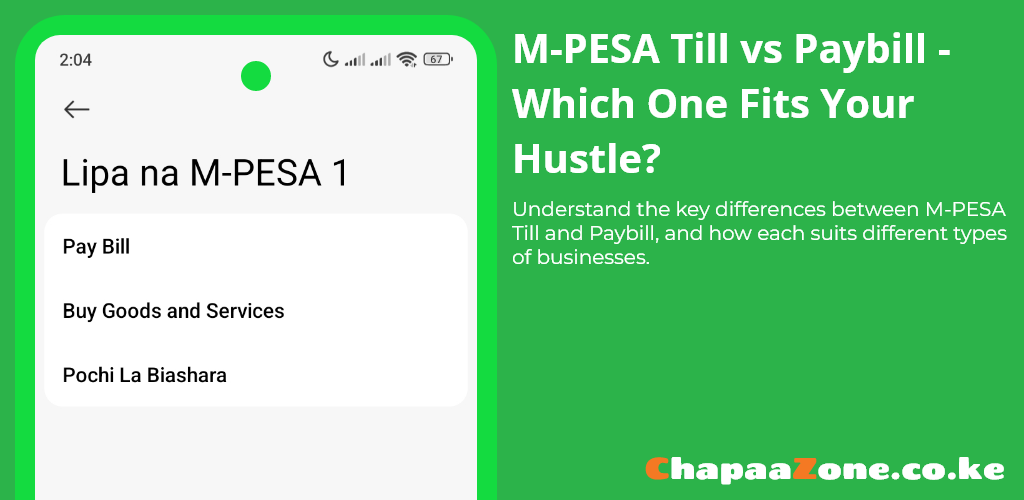
Kenya’s cashless economy runs on M-PESA.Two of the most common ways M-PESA payments are accepted across the country are through M-PESA Till and Paybill numbers.Both let customers pay from their phones, but they solve different problems for entrepreneurs and business owners.This guide explains the difference, the real-world trade-offs, and which one fits your hustle.
What is a Till ?
A Till is M-PESA's Buy Goods and Services option in Lipa na M-PESA,it is mostly used for face-to-face retail transactions such as shops and supermarkets.Till numbers are usually 4 to 6 digit numbers and are generally built for simplicity and ease of use.
The standard procedure for M-PESA Till payments via (Sim Toolkit):
- Go to M-PESA
- Select Lipa Na M-PESA
- Select Buy Goods and Services
- Enter M-PESA Till number
- Enter amount
- Enter M-PESA PIN and send
Till numbers do not require a customer to enter an account or reference number,This keeps the checkout process quick for supermarkets, kiosks, salons, and food vendors etc.
What is a Paybill ?
A Paybill is M-PESA's Lipa na M-PESA option for businesses and organizations that need structured payments.When making payments via Paybill, the customer enters both the business number and an account number,To have a better understanding of M-PESA Paybill,we need to understand it's two main constituents - business number and account number.Let's define them.
1. Business Number
An M-PESA Paybill business number is a unique number made up of 5 to 7 digits assigned by Safaricom to a business or an organization for identification purposes whenever payments are made.An example of a popular business number used by kenyans is KPLC'S Paybill number - 888880
2. Account Number
An M-PESA Paybill account number is simply a reference number entered by the customer during payment.Unlike the business number which is assigned by Safaricom to an organization or a business,an account number is defined by the organization or the business to which the payment is being made to.
An account number doesn't necessarily have to be made up of digits only,it can be made up of letters,digits or a mix.The account number simply identifies the specific payer or purpose of the payment.As an example, after entering KPLC's Paybill number the user is expected to enter their KPLC meter number as the account number.In this case KPLC would be using the KPLC meter number as a reference number or account number for the transaction.
The standard procedure for M-PESA Paybill payments via (Sim Toolkit):
- Go to MPESA
- Select Lipa na MPESA
- Select Paybill
- Enter Business Number (eg. KPLC's Paybill number 888880)
- Enter Account Number (eg. KPLC meter number)
- Enter Amount
- Enter M-PESA PIN and send
As you can see,unlike Till numbers,Paybill numbers are a bit more formal and require a few extra steps and information.
Payment via Paybill is ideal for businesses or organizations that offer services that are tied to an account such as schools,internet providers,online services etc.It is also ideal for growing business that needs bookkeeping and automated reconciliation.
Payment Settlement and Reconciliation explained
Payments made to a Till number are typically pushed to an M-PESA business Till account where merchants can quickly access and use them for their daily operations.The finances can be accessed via Safaricom USSD code *234*2# or using Safaricom's official M-PESA for Business App.
Payment collections made through a Paybill number normally go into a designated bank account or a specific M-PESA account and come with better reconciliation tools for matching payments to invoices or accounts.
Large or recurring payments are easier to reconcile on Paybill, while frequent low-ticket retail sales are more convenient on Till.Funds collected using Paybill can be accessed via USSD code *234*4# or by using Safaricom's official M-PESA for Business App.
Cost and perception differences
M-PESA Till numbers feel informal and are ideal for fast, in-person commerce such as street vendors or kiosks.They tend to mirror traditional transactions between a buyer and seller where no initial relationship exists and thus you'll mostly come across Till numbers more than Paybill numbers in everyday purchases or service provision for example when paying for chips at a roadside stand or when paying for a haircut at your local barber shop.
On the other hand M-PESA Paybill numbers feel formal and trustworthy for recurring or tracked transactions.Fee structures vary by transaction size and business setup.M-PESA Paybill number are ideal in organizations or businesses whereby there is an initial formal relationship setup or agreement between the customer/client and the the business or organizations such as utility providers(ISPs,Electricity) or Banks.Most businesses or organization that use Paybill numbers have large volumes of recurring transactions.
Small daily sales may be cheaper or simpler through a Till, while Paybill setup and function are designed around organizations and businesses that need reporting and accountability.
Which one fits your hustle
When to use a Safaricom Till number
If your daily life around business and service provision is selling products or providing services in person and you need speed and simplicity for your operations, use a Till number.A Till number paired with Safaricom provided tools such as M-PESA for business app will be sufficient for revenue collection and general bookkeeping operations.To put it into context,a Safaricom Till number will be appropriate for:
- Street food vendors
- In-person service providers (such as Kinyozi's or Salons)
- Traditional shops and kiosk with 1 - 5 personnel
This list is not exhaustive.The bottom line is: if you collect payments in person and want a fast, low-hassle setup, a Safaricom Till number simply gets the job done.
When to use a Safaricom Paybill number
If you run a sizeable business or organization where collected fees or funds are tied to accounts, invoices, or memberships, use a Paybill.A Paybill will not only create a trust worthy and formal relationship between your business/organization and the clients,but also provide tools for extensive bookkeeping,reporting,reconciliation and accountability.
While the initial setup maybe a bit more complex especially when integrating M-PESA paybill to an internal system,it’s ultimately more rewarding and scalable in the long run.To put it into context,a Safaricom Paybill number will be appropriate for:
- Internet Service Providers or ISPs
- Schools
- Sacco's
If you run a mixed operation, use both: route retail sales to the Till and structured payments to the Paybill for neat bookkeeping.
Key differences at a glance
Below is a table that portrays the Key differences between an M-PESA Till Number and an M-PESA Paybill Number
| Attribute | Till | Paybill |
|---|---|---|
| Format | 4 to 6 digit number | 5 to 7 digit number |
| Primary use | Retail and instant in-person sales | Bills, subscriptions, school fees, donations |
| Customer input | No account number required | Customer enters account/reference number |
| Settlement destination | M-PESA business till or wallet | Bank account or designated M-PESA account |
| Reporting & reconciliation | Basic receipts and till history | Detailed payer reference and reconciliation tools |
| Perception | Informal, convenient | Formal, trusted for recurring or tracked payments |
How to get started today
Prepare required documentation such your ID, business registration documents, KRA PIN, bank details, and a Safaricom line etc.
Depending on your preferred service,some of these documents might not be required
You can then apply for a Safaricom M-PESA Paybill number or Till Number through the Lipa Na M-PESA Application Portal.
Safaricom’s application pages will walk you through Till and Paybill registration and activation steps. Activate the number, run test transactions, and confirm settlement and reporting are working as expected.
Final take
Match the payment provided tool to the problem at hand.Use Till when checkout speed and immediate cash access matter,this is especially true for traditional business transactions.Use Paybill when you need tracking, reconciliation, and the formal feel that comes with account-based payments and systems.An hybrid approach may be needed in some cases but for most operations one of the two will always suffice.